Every day, people across your organization are wasting time looking for things that already exist. An SOP buried in a shared drive. Onboarding materials no one can find. A report sitting in someone’s inbox. That friction is easy to overlook — but it compounds into real costs: lost hours, duplicated work, and institutional knowledge that walks out the door when people do.
The knowledge management process changes that. It transforms scattered information into a shared foundation your entire organization can find, trust, and build on — long after the person who created it has moved on.
What Is the Knowledge Management Process?
The knowledge management process is a repeatable, structured cycle for identifying, capturing, organizing, storing, sharing, applying, and continuously improving knowledge across an organization. It transforms raw information — documents, expertise, workflows, institutional memory — into an accessible, actionable resource that drives performance and decision-making.
The knowledge management process is a repeatable cycle for identifying, capturing, organizing, storing, sharing, applying, and improving knowledge across an organization — turning scattered information into a trusted, accessible resource.
Every organization manages three types of knowledge, whether intentionally or not:
- Explicit knowledge — Formally documented knowledge: manuals, SOPs, reports, and training guides.
- Tacit knowledge — Personal expertise and know-how that’s difficult to articulate: how a senior rep closes a deal, how an engineer debugs a complex system.
- Implicit knowledge — Undocumented but inferable knowledge: the unwritten rules, habits, and patterns embedded in how teams operate.
An effective knowledge management process captures all three — not just the documents that already exist.
Why the Knowledge Management Process Matters
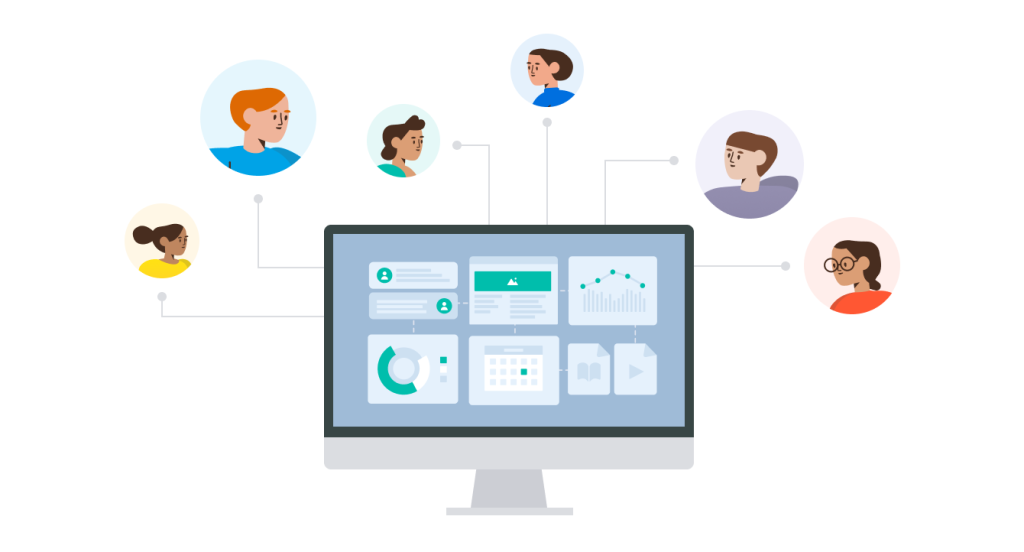
Knowledge doesn’t become valuable the moment it’s created. It becomes valuable when people can find it, trust it, and use it to do their jobs better. A structured knowledge management process benefits every team across your organization — from customer support to product, sales, and HR — by improving four core outcomes:
- Findability — Team members locate what they need without asking around or duplicating effort.
- Reuse — Proven solutions, templates, and frameworks get applied again instead of reinvented from scratch.
- Continuity — Institutional knowledge survives role changes, departures, and organizational restructuring.
- Productivity — Less time searching and redoing work means more time on work that actually moves things forward.
Knowledge workers spend a significant portion of their week looking for information they already have access to — somewhere. An effective knowledge management process directly reclaims that time.
The 7 Steps of an Effective Knowledge Management Process
The knowledge management process is not a one-time documentation project. It’s a continuous loop — each cycle producing knowledge that’s more current, more complete, and more useful than the last. Here are the seven core steps.
1. Identify Critical Knowledge
Before capturing anything, identify what’s actually worth capturing. Not all knowledge has equal value, and undirected documentation efforts quickly produce bloated, low-quality knowledge bases that nobody trusts or uses.
Prioritize along two axes: value (how much does this knowledge improve outcomes?) and risk (what happens if it’s lost?). High-value, high-risk knowledge — the expertise held by a single subject matter expert, the process behind a revenue-critical workflow — should be captured first.
Identification activities include:
- Auditing existing knowledge assets to find gaps and redundancies
- Interviewing subject matter experts to surface undocumented expertise
- Reviewing support tickets, help desk logs, and Slack threads for recurring questions
- Analyzing project retrospectives and incident reports for lessons learned
- Mapping which teams or roles hold critical tacit knowledge with no backup
AI-powered knowledge discovery tools can accelerate this phase by surfacing patterns across tickets, chat logs, and shared drives — but prioritization still requires human judgment.
2. Capture Knowledge
Once critical knowledge is identified, the next step is getting it out of email threads, individual minds, and one-off conversations — and into the organization’s collective memory.
The approach depends on the type of knowledge being captured.
Explicit knowledge is the straightforward part: document workflows, SOPs, decision frameworks, and reference materials using consistent templates and formats.
Tacit knowledge requires more deliberate effort. Because it’s rooted in experience rather than process, it rarely surfaces on its own. Organizations have to create the conditions for it to be shared:
- Recorded walkthroughs and annotated screen recordings
- Expert interviews and structured knowledge-transfer sessions
- Internal wikis where practitioners document how they actually work, not just how they’re supposed to
- Mentorship programs that formalize the passing of know-how
- Smart templates and browser extensions that prompt documentation in the flow of work
The key principle: capture knowledge where it’s created. The closer documentation happens to the moment of insight, the more accurate and complete it will be. Tools that integrate with Slack, email, or your browser make real-time capture far more likely to happen.
3. Organize and Structure Knowledge
Knowledge that can’t be found might as well not exist. The goal of this step is to impose enough structure that anyone — not just the person who created the content — can find what they need quickly and confidently.
Effective organization requires four elements:
Taxonomy — A logical, consistent category structure that reflects how your teams actually search for information. Design it around user intent, not org chart hierarchy.
Metadata — Tags, attributes, and labels that make knowledge filterable and searchable: team, topic, content type, audience, date, owner.
Ownership — Every knowledge asset should have a clear owner responsible for accuracy and updates. Ownerless content becomes stale content.
Formatting standards — Consistent document structures (headings, summaries, related links) reduce cognitive load and make knowledge easier to skim and apply.
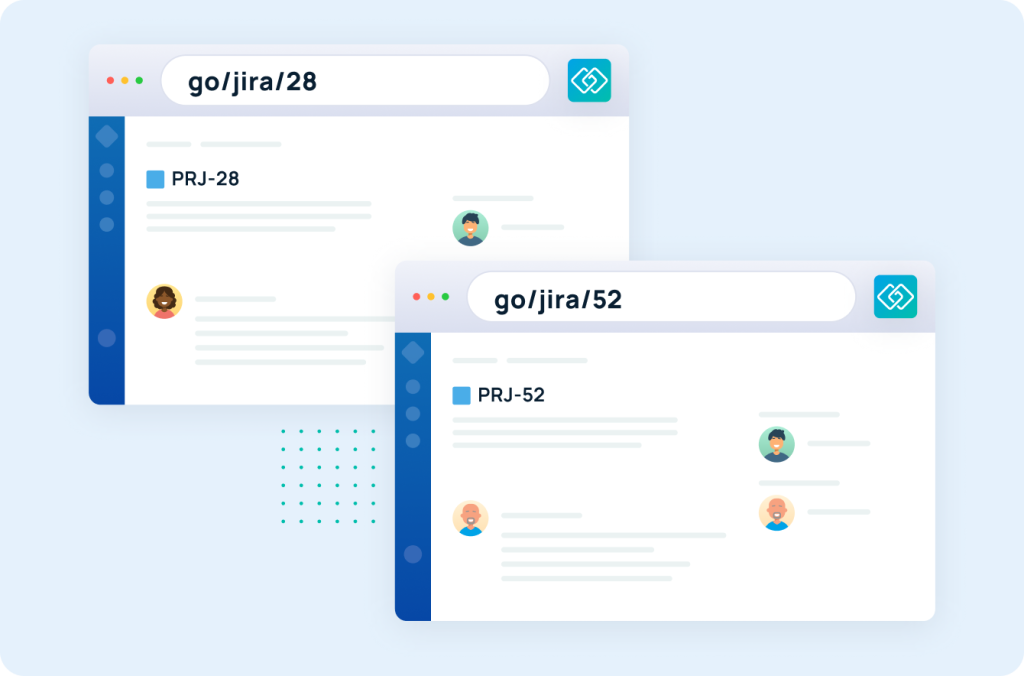
In practice, this looks like centralized knowledge bases with enforced taxonomy, predictable naming conventions, and short, memorable links — like go/onboarding-guide — that make sharing frictionless. For dynamic content, variable links (e.g., go/ticket/234) surface the right resource automatically without extra navigation.
Poor organization is the most common reason well-intentioned KM efforts fail. Even excellent documentation becomes worthless if no one can find it.
4. Store and Maintain Knowledge
Organization defines how knowledge is structured. Storage defines where it lives and how it’s governed over time.
Repository decisions should reflect how teams work. A centralized knowledge base — sometimes called a single source of truth — reduces duplication and makes governance tractable. For larger organizations, federated repositories with strong cross-linking can work, but require stricter governance.
Governance defines who can create, edit, approve, and archive knowledge assets. Without governance, knowledge bases accumulate outdated, contradictory, and low-quality content that erodes trust. Key governance decisions include:
- Who has edit access vs. view-only access
- What review and approval workflows look like
- How version control works and who resolves conflicts
- What triggers a mandatory review (e.g., product changes, policy updates, time-based expiration)
Version control and clear “last reviewed” metadata reinforce that trust at the asset level — they signal to the reader that what they’re looking at is current.
The source-of-truth principle is simple: when multiple versions of the same information exist, only one is authoritative. Establish which one that is, and make sure everyone knows it.
5. Share and Distribute Knowledge
A repository nobody visits is just an archive. This step is about closing the gap between what’s documented and what’s actually used — and that requires getting knowledge into the places and moments where people need it, not in a separate tool they have to remember to open.
In practice, that means:
- Workflow integration — Surface relevant knowledge directly in Slack, Microsoft Teams, CRM platforms, or ticketing systems, so it appears in context rather than requiring a separate search
- Contextual search — Search available wherever people work, with results filtered by relevance and recency
- Onboarding — New hire programs built around structured access to the right knowledge in the right order
- Peer learning — Documentation sessions, mentorship programs, and retrospectives that normalize knowledge sharing as a team habit
- Memorable access points — Short links, pinned resources, and bookmarked guides that reduce the friction of getting to the right content
The goal is knowledge people don’t have to hunt for. It appears in their workflow, answers the question before they have to ask it, and points them toward what to read next.
6. Apply and Reuse Knowledge
Sharing creates access. Application creates value. Everything in the previous five steps exists to make this one possible.
Knowledge creates value when it’s put to work:
- Informs decisions — product roadmaps, customer escalations, strategic plans
- Accelerates repeatable work — support responses, onboarding steps, incident resolution
- Reduces ramp time — new hires reach productivity faster when the right knowledge is organized and waiting
- Prevents repeated mistakes — lessons from past projects get applied to current ones instead of relearned the hard way
Reuse is the clearest signal that a knowledge management process is working. When a support agent resolves an issue by pulling an existing troubleshooting guide rather than escalating or improvising, that’s reuse. When a new hire completes onboarding without asking every question their predecessor asked, that’s reuse compounding over time.
The practical implication: design knowledge assets for reuse from the start. Modular structure, clear summaries, actionable formats, and explicit guidance on when and how to apply the content — these aren’t nice-to-haves. They’re what separates a knowledge base people return to from one they abandon.
7. Review, Improve, and Retire Knowledge
Every knowledge asset has a shelf life. This step closes the loop — ensuring what’s in your knowledge base stays accurate and trustworthy, and that what’s no longer useful gets cleaned up.
Review cycles should be scheduled based on content volatility. Policy documents may need quarterly reviews. Product documentation should be reviewed with every release. Evergreen reference material might need only annual checks. The cadence matters less than the consistency — what kills knowledge bases isn’t bad content. It’s content that was never reviewed at all.
Stale-content cleanup is unglamorous but essential. Outdated content doesn’t just fail to help — it actively misleads. And the more confidently it’s written, the more damage it does. A governance process that flags, reviews, and archives or deletes expired content protects the integrity of everything else in the knowledge base.
Lessons learned loops complete the cycle. After major projects, incidents, or milestones, structured retrospectives surface new knowledge that feeds back into the earlier steps — improving what’s captured, how it’s organized, and what gets prioritized next time.
The knowledge management process is only as strong as the discipline applied here. Skip this step long enough, and the knowledge base stops being an asset and becomes a liability — a collection of outdated answers people have quietly learned not to trust.
Knowledge Management Process vs. Framework vs. Lifecycle vs. System
These four terms are often used interchangeably — but they mean distinct things. Understanding the difference helps organizations design and communicate their KM strategy more clearly.
| Term | Definition | Focus |
| Process | The repeatable steps for creating, managing, and using knowledge | How knowledge flows through the organization |
| Framework | The model or structure used to design and govern KM | What rules and principles guide the process |
| Lifecycle | The end-to-end journey of a knowledge asset from creation to retirement | What happens to knowledge at each stage — and when it expires |
| System | The tools, platforms, and infrastructure that support KM | Where knowledge lives and how it’s accessed |
A knowledge management process operates within a framework, produces assets with a defined lifecycle, and runs on top of a system. All four are necessary — but the process is the connective tissue that makes the others work.
If you need a formal model to build from, two frameworks dominate in practice: APQC’s Process Classification Framework, which treats KM as a business process with defined activities, benchmarks, and maturity models; and ISO 30401, the international standard that defines the principles any effective KM system must satisfy — leadership commitment, value creation, culture, and governance. Both are compatible with the process covered in this guide and can be adopted together or selectively, depending on organizational maturity.
The SECI model (Nonaka & Takeuchi, 1995) is the foundational academic framework behind most KM theory. It describes knowledge creation as a cycle of four conversions: Socialization (tacit → tacit), Externalization (tacit → explicit), Combination (explicit → explicit), and Internalization (explicit → tacit). The core insight: tacit knowledge can’t be documented into existence — it can only be converted through deliberate human interaction, which is exactly what steps 1 and 2 of the process are designed to support.
Best Practices for Building an Effective Knowledge Management Workflow
The difference between a knowledge base people rely on and one that gathers digital dust usually comes down to a handful of disciplines:
Capture in the flow of work. The best time to document knowledge is the moment it’s created or applied — not in a documentation sprint scheduled for next quarter. Use tools that make capture feel like part of the work: browser extensions, Slack integrations, smart templates, and one-click link creation.
Assign clear ownership. Every knowledge asset needs a named owner accountable for its accuracy. Ownerless knowledge becomes unreliable knowledge — and unreliable knowledge becomes a knowledge base nobody trusts.
Engage subject matter experts early. Tacit knowledge is the hardest to capture and the most valuable to preserve. Get SME time on the calendar for documentation, walkthroughs, and knowledge transfer before that expertise walks out the door.
Design for findability, not comprehensiveness. A shorter, well-structured document people can scan and apply in thirty seconds beats a thorough one nobody reads. Format for retrieval: clear headings, bolded key points, summary sections, and explicit next steps.
Treat stale content as a quality defect. Set calendar-based review cycles for high-traffic and high-risk content. An outdated knowledge base isn’t just a housekeeping problem — it’s a trust problem.
Build a culture of sharing. Tools and processes only work if people use them. Recognize contributions, reduce friction, and model the behavior from the top.
Design for distributed teams. Knowledge management infrastructure must work asynchronously and across time zones. Remote and hybrid teams can’t rely on hallway conversations to fill gaps — which means the knowledge base has to.
The Knowledge Management Process in Action
Here’s how the seven steps play out in a real scenario: a support team building and maintaining troubleshooting documentation.
- Identify — Audit the most-escalated support tickets from the last quarter. These represent the highest-value, highest-risk knowledge gaps — the ones worth capturing first.
- Capture — Have senior reps document their resolution process for each issue type. Record walkthroughs for complex technical problems. Pull structured resolution notes from past tickets.
- Organize — Tag each article by product area, issue type, and customer tier. Build a consistent template with problem description, solution steps, and related articles. Create a go/support-troubleshooting shortlink pointing to the hub.
- Store — Publish to the team’s central knowledge base. Assign each article to an owner — typically the rep most familiar with the issue. Set a 90-day review flag on everything.
- Share — Integrate the knowledge base with the ticketing system so relevant articles surface automatically based on ticket keywords. Pin the hub link in Slack. Walk new reps through it on day one.
- Apply — Track article views per resolved ticket. Identify which articles drive resolution and which issues still escalate despite existing documentation. Reuse data drives what gets written next.
- Review — Flag articles for review when a related feature changes. Retire articles once the underlying issue is fixed. Use quarterly retrospectives to catch emerging gaps before they become recurring tickets.
This loop — not the one-time documentation sprint — is what makes support knowledge compound in value over time.
How to Measure Knowledge Management Success
A knowledge management process that isn’t measured can’t be improved. These are the metrics to track:
| Metric | What It Measures |
| Search success rate | Percentage of searches that end with a user clicking a result rather than abandoning |
| Knowledge reuse rate | How often existing assets are accessed to resolve issues or complete tasks |
| Time to answer | How long it takes a team member or customer to get an accurate answer |
| Stale-content rate | Percentage of knowledge assets past their review date |
| Onboarding time to productivity | How quickly new hires reach full productivity with KM support |
| Ticket deflection rate | Support tickets or escalations avoided because self-service knowledge was found |
| Contribution rate | Rate of new knowledge creation across the team |
| Knowledge base coverage | Percentage of high-priority topics with current, accurate documentation |
Review these quarterly. Low search success and high stale-content rates are usually the first signals that something in the process has broken down — and the clearest place to start fixing it.
How AI Changes the Knowledge Management Process
AI-powered search, assistants, and chatbots are becoming standard parts of how organizations surface and share knowledge. But AI doesn’t replace the knowledge management process — it raises the stakes for doing it well.
The reason is straightforward: AI is only as good as its source knowledge. When an AI tool answers a question, surfaces a resource, or generates a summary, it draws on whatever knowledge it can access. Feed it poorly structured, outdated, or conflicting content and it produces confidently wrong answers. Feed it well-governed, current, structured knowledge and it becomes genuinely useful.
That distinction puts new pressure on every step of the KM process:
- Structure matters more than ever — Consistent headings, metadata, and formatting aren’t just good practice. They’re what allow AI to find, retrieve, and accurately represent your content.
- Stale content becomes a liability — AI doesn’t flag uncertainty the way a human would. It presents outdated information with the same confidence as current information, which makes unreviewed content more dangerous than it used to be.
- Source-of-truth governance is non-negotiable — When multiple versions of the same information exist, AI will surface all of them. Conflicting sources produce inconsistent answers, and inconsistent answers erode trust fast.
- Human oversight can’t be skipped — AI-generated content needs to feed back into the review process, not bypass it. The loop has to stay closed.
Organizations treating KM as a supporting function will find that AI augments their gaps as readily as their strengths. The quality of your knowledge management process determines the quality of everything built on top of it. GoSearch is built for exactly this: surfacing governed, structured knowledge across your entire stack through AI-powered enterprise search.
How GoLinks Supports the Knowledge Management Process
Most knowledge management processes break down not because of bad strategy, but because of friction — the small moments where documenting, finding, or sharing something feels like more effort than it’s worth. GoLinks is built to eliminate that friction at every stage.
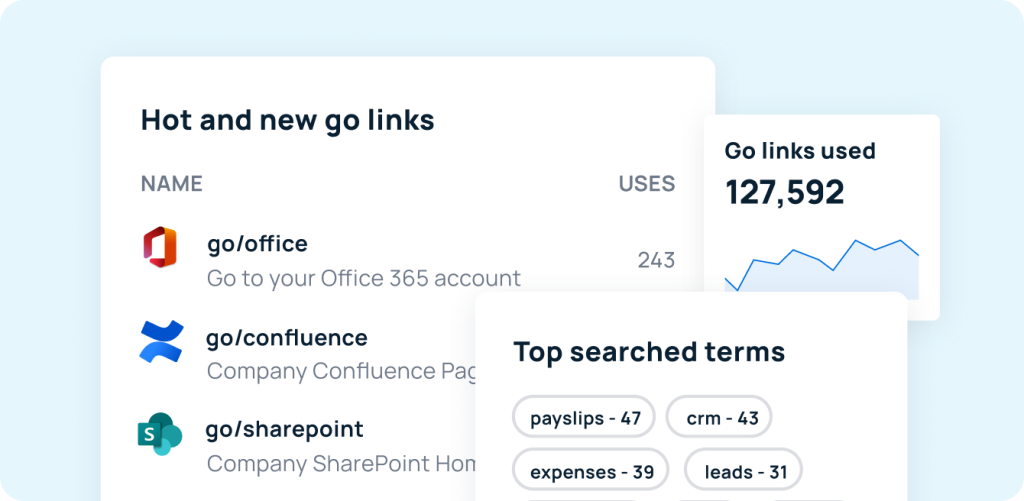
Identify — Weekly insights emails surface trending go links across your organization. Dashboards highlight newly created and most-accessed resources, making it easier to spot what’s being used, what’s missing, and what already exists before creating something new.
Capture — The GoLinks browser extension turns any webpage into a go link in one click. Resources that would otherwise disappear into chat threads or browser tabs get preserved instantly, without interrupting the flow of work.
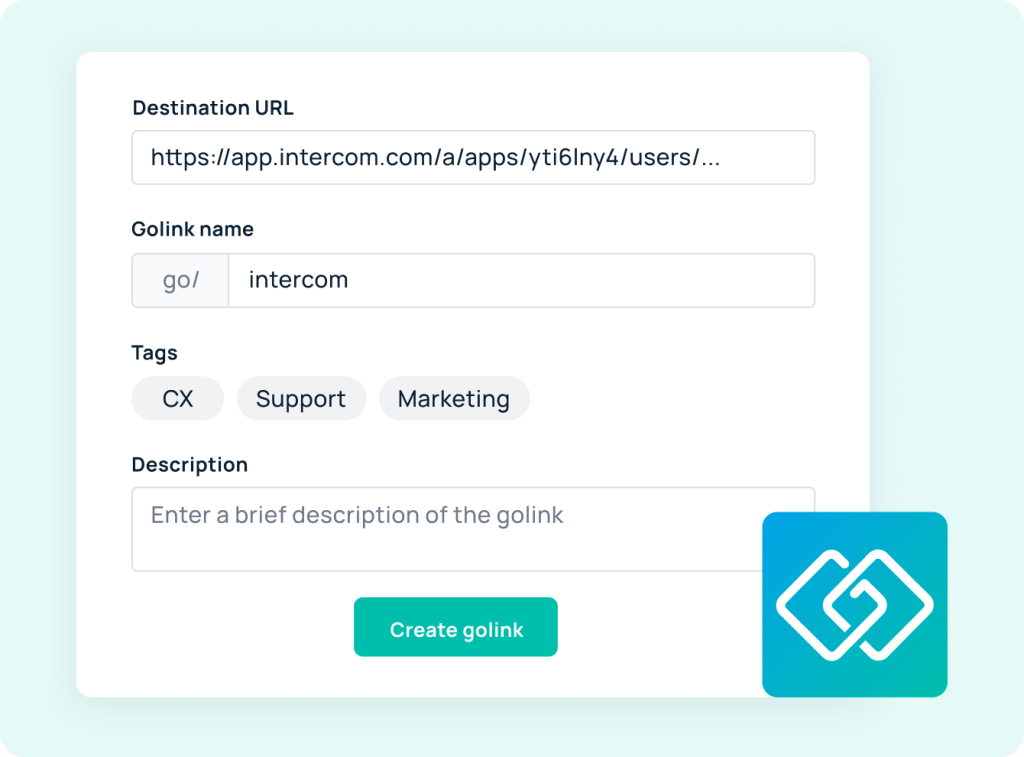
Organize — Custom naming conventions and tagging systems make every resource easy to find and remember. Variable go links — like go/ticket/234 — enable fast access to dynamic content without extra navigation or context-switching.
Store and Maintain — Usage data surfaces which resources are actively accessed and which have gone dormant, making it easier to identify what needs updating before stale content becomes a trust problem.
Share and Use — Go links work everywhere: spoken aloud in a call, dropped into a Slack message, embedded in onboarding documentation, or printed on a poster. No tab-switching, no hunting for URLs — just go/what-you-need.
Still evaluating your options? See our guides to the best personal knowledge management software and the top enterprise knowledge management platforms.
Build a Knowledge Management Process That Lasts
An effective knowledge management process doesn’t happen by accident. It requires deliberate structure — a clear, repeatable cycle of identifying, capturing, organizing, storing, sharing, applying, and reviewing knowledge — and the discipline to maintain that cycle long after the initial effort fades.
The organizations that get this right don’t just have better documentation. They make faster decisions, onboard new hires more efficiently, deliver better customer experiences, and hold onto institutional knowledge even as teams change. They’re also better positioned to get real value from AI tools, which are only as good as the knowledge they’re built on.
The foundations are simple, even if the execution isn’t: process discipline, clear ownership, and easy retrieval. Everything else — the tools, the frameworks, the metrics — exists to serve those three things.
Try GoLinks free and see how short links make knowledge easier to find, share, and actually use.
Access and share resources instantly with GoLinks
Try for free
Knowledge Management Process: Frequently Asked Questions
A knowledge management framework is the model used to design and govern a KM program. It defines the principles, roles, governance structures, and process standards that make knowledge management consistent and scalable. The two most widely adopted frameworks are APQC’s Process Classification Framework and ISO 30401. A framework provides the rules; the process executes within them.
KM tools fall into several categories: repositories (knowledge bases, intranets, wikis) for storing and organizing content; search tools for surfacing knowledge across platforms; collaboration tools like Slack and Teams for sharing and co-creating knowledge in the flow of work; governance tools for managing ownership, reviews, and access; and access tools like GoLinks that make retrieval fast through memorable, shareable short links. The most effective KM stacks combine tools from multiple categories.
The most common failure point is lack of governance. No one is accountable for keeping knowledge accurate, no process exists to review and retire stale content, and over time the knowledge base accumulates outdated information that erodes user trust. Teams stop consulting it, and the documentation investment becomes worthless. Strong ownership and consistent review cycles are the single most important factors in long-term KM success.
A support team building troubleshooting documentation is a clear example. The team starts by auditing the most-escalated tickets from the past quarter to identify high-value knowledge gaps. Senior reps document their resolution steps; walkthroughs are recorded for complex issues. Each article is tagged by product area and issue type, published to a central knowledge base with a named owner, and surfaced automatically in the ticketing system based on keywords. Article views per resolved ticket are tracked to measure reuse. Articles are flagged for review when a related feature changes and retired when the underlying issue is resolved. That continuous loop — not a one-time documentation sprint — is what makes the knowledge base compound in value over time.
Start by identifying your highest-value, highest-risk knowledge. Capture it using a mix of written documentation, recorded walkthroughs, and structured expert interviews. Organize everything with a consistent taxonomy, clear ownership, and formatting standards that make content easy to scan and apply. Store it in a central repository with defined governance: access controls, version history, and scheduled review cycles. Distribute it by integrating your knowledge base with the tools teams already use — Slack, your ticketing system, your CRM — so knowledge appears in context rather than requiring a separate search. Track reuse metrics to identify what’s working and where gaps remain. Finally, close the loop with regular review cycles that retire stale content and feed new lessons back into the process.
The SECI model (Nonaka & Takeuchi, 1995) describes how knowledge moves through an organization via four conversion modes: Socialization (tacit → tacit — knowledge shared through experience and mentorship); Externalization (tacit → explicit — expertise converted into documented processes or frameworks); Combination (explicit → explicit — structured knowledge reorganized into new formats); and Internalization (explicit → tacit — documented knowledge absorbed through practice until instinctive). The model underpins enterprise KM for one key reason: documentation alone can’t capture tacit knowledge. Organizations must convert it through deliberate socialization and externalization — exactly what steps 1 and 2 of an effective knowledge management process are designed to support.