What Is Remote Team Communication?
Remote team communication is how distributed teams share information, align on work, and build relationships across distance. It encompasses the tools, norms, and habits that replace the spontaneous, in-person exchanges of a shared office — and it’s the single biggest determinant of whether a remote or hybrid organization thrives or stalls.
Remote Work Is Permanent. Is Your Team Communication Built for It?
Remote work is no longer an experiment — it’s the new baseline. More than 22 million Americans primarily worked from home — a figure more than twice the pre-pandemic rate, according to the U.S. Census Bureau’s American Community Survey, and that number is only climbing. Yet most teams are still communicating the way they did in 2019: back-to-back meetings, always-on messaging, and workflows designed for people who share a building. The result is friction, bottlenecks, and a creeping sense of burnout that leaders can’t quite explain.
The problem isn’t remote work. It’s that the communication habits never caught up.
The good news: teams that do make the shift communicate better than their in-office counterparts — not just differently. Here are the five strategies that make the biggest difference, drawn from research and the real-world experience of fully distributed companies like Basecamp, Zapier, and HubSpot.
5 Ways to Improve Remote Team Communication
1. Champion Asynchronous Communication
Remote team communication doesn’t fail because of the wrong tools — it fails because of the wrong assumptions.
In a physical office, communication is reactive. You tap someone on the shoulder, get pulled into an impromptu meeting, or find yourself answering questions the moment they arise. It feels responsive. It feels productive. But the hidden cost is significant.
The average professional spends two hours a week in pointless meetings — 13 full days a year. And that figure doesn’t capture the subtler loss: the interrupted focus, the creative momentum that never gets a chance to build. As Harvard Business Review puts it, every minute in a wasteful meeting displaces solo work that’s equally essential.

Asynchronous communication flips this dynamic. Instead of responding the moment a message arrives, team members reply on their own schedule — when they’re available, focused, and able to give a considered answer. Jason Fried, co-founder of Basecamp, makes this case compellingly in his TED talk: check messages when you’re ready to be interrupted, not whenever someone else decides you should be.
The practical case for going async is strong. Most questions aren’t urgent and can wait a few hours for a better answer. Team members across time zones can contribute fully rather than being quietly penalized for where they happen to live. And people who do deep, uninterrupted work don’t just produce higher-quality output; they report feeling more accomplished, more trusted, and less burned out.
How to make it work: Making the shift isn’t complicated. Agree on response-time norms so no one mistakes silence for being ignored. Write decisions down so they outlast the conversation they came from. And reserve meetings for moments that genuinely can’t happen any other way — not as a default, but as a deliberate choice.
2. Build a Single Source of Truth
If knowledge isn’t written down and easy to find, it effectively doesn’t exist. A single source of truth fixes this: one place where anyone can find what they need without interrupting a colleague — no emails, no Slack threads, no impromptu meetings just to locate a document.
What belongs in your single source of truth:
- Onboarding documentation
- Project briefs, status updates, and meeting notes
- Customer support knowledge bases
- Analytics dashboards and performance data
- Policies, processes, and guidelines
The right tools depend on your team, but most single sources of truth are built on some combination of these:
| Tool Type | Examples | Best For |
| CRM | HubSpot, Salesforce, Zoho | Customer data, sales pipeline |
| Project Management | Asana, Linear, Notion | Tasks, timelines, deliverables |
| Knowledge Base | Confluence, Notion, GoLinks | Internal documentation, wikis |
| Short Links | GoLinks | Instant access to any internal resource |
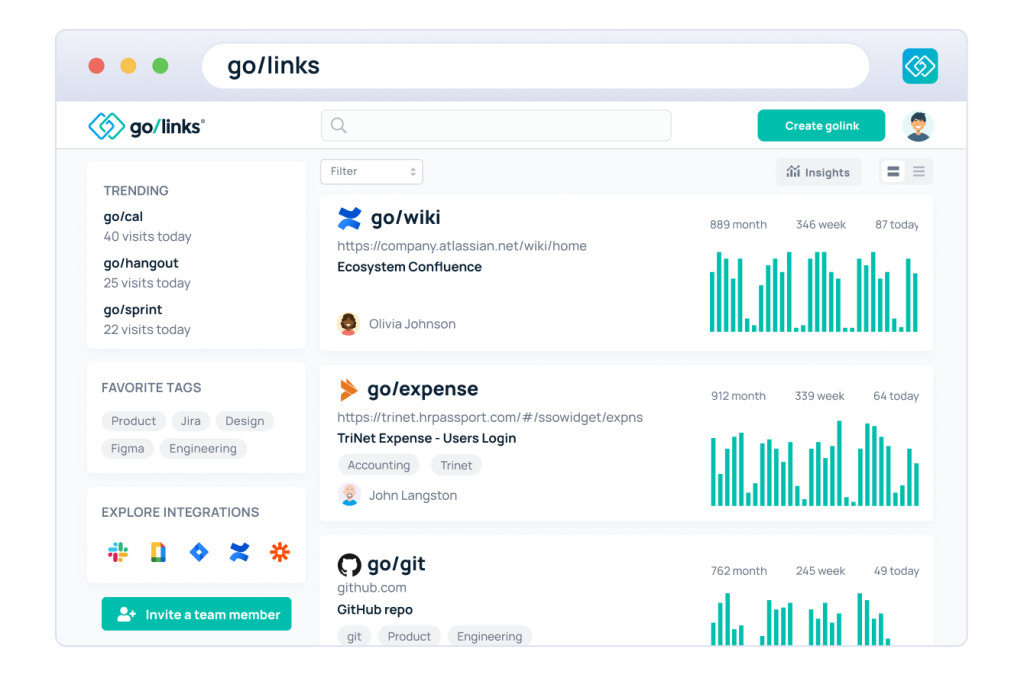
See it in action: With GoLinks, go/wiki always opens the knowledge base. go/expenses always opens the reimbursement form. Same shortcuts, every time, for everyone — no bookmarks, no hunting, no asking around.
3. Build Trust and Empathy Intentionally
Remote team communication isn’t just about information transfer — it’s about human connection.
In an office, rapport builds without effort. Remote teams have to build it on purpose. Without that intention, what researchers call the empathy gap sets in — a slow erosion of mutual understanding that surfaces as miscommunication, disengagement, and isolation.
So how do you build trust across distance? The same way you’d build it in person — deliberately, and in the small moments.

Create informal spaces for conversation. The watercooler didn’t just exist for water — it was where relationships formed. Remote teams need a deliberate equivalent. Wade Foster, co-founder of Zapier, recommends dedicated Slack channels for off-topic conversation: pets, sports, weekend plans, whatever gets people talking about something other than work. Tools like Donut can randomly pair teammates for casual video chats each week — replicating the serendipity of running into someone in the hallway. For larger teams, breaking all-hands meetings into small-group conversations, the way HubSpot does, gives people a chance to connect beyond the broadcast format.
Invest in at least one in-person retreat. There are things that happen in person — the late-night conversation, the spontaneous idea, the moment someone becomes fully real to you — that no amount of async communication replicates. Retreats are expensive, but they pay dividends in trust and culture that outlast the trip itself. Zapier has run them for teams as small as 7 and as large as 185 — proof that the investment scales regardless of where you are in your growth.
Measure output, not hours. Trust isn’t built through surveillance — it’s built through autonomy. When people have the freedom to manage their own time and energy, and know they can ask for support without judgment when they need it, the relationship between employee and employer shifts from transactional to mutual. That’s the foundation remote teams need to communicate openly and perform at their best.
4. Make It Easy to Find the Right Person
One of the most underestimated barriers to remote team communication isn’t technology or time zones — it’s simply not knowing who to contact, or when.
In a large organization, a marketing manager may not know which sales rep owns a specific account. A new hire doesn’t know who handles IT procurement. A contractor doesn’t know whether the person they need is in London or Los Angeles — or whether 2 pm is even a reasonable time to reach them. Without that context, outreach gets delayed, or doesn’t happen at all.
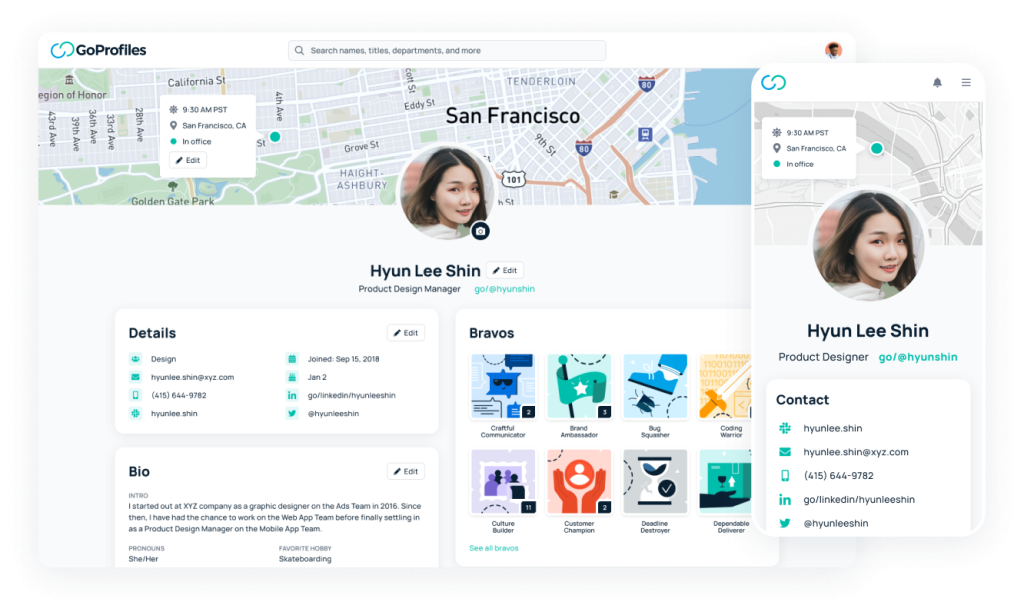
A dynamic employee directory solves this quietly. GoProfiles syncs automatically with your HR platform to keep every profile current — job title and department, location and time zone, contact preferences, reporting structure. No outdated spreadsheets, no org charts frozen in time.
When anyone can instantly find the right person and see the best moment to reach them, the hesitation disappears — and communication that might have taken days happens in minutes.
5. Make Recognition Intentional
Engaged employees communicate better. The reverse is also true: disengaged employees go quiet, withhold ideas, and stop asking for help. Recognition is one of the fastest levers for moving people from one state to the other.
Gallup research consistently finds that employees who believe they will be recognized are 2.7x more likely to be highly engaged. For remote managers, that makes recognition one of the highest-leverage, lowest-cost tools at their disposal.
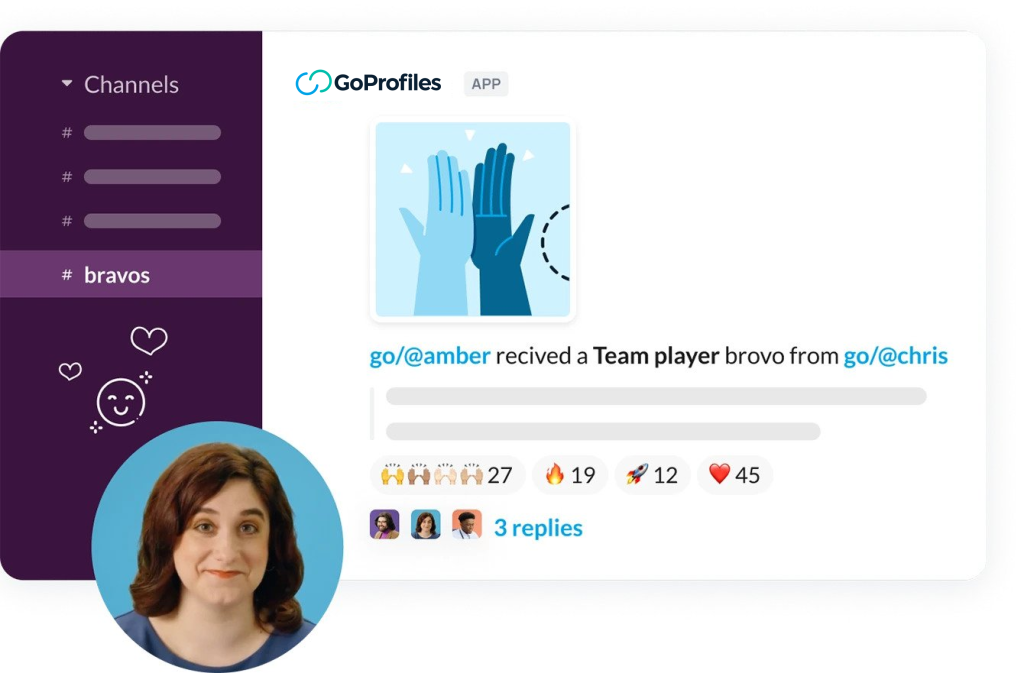
GoProfiles Bravos are built for exactly this gap. Team members can recognize a colleague’s contribution directly — with a note explaining the specific impact — and have it surface automatically in a dedicated Slack channel. The result isn’t just a moment of appreciation for one person; it’s a signal to the whole organization about what good work looks like, and that it gets noticed.
That visibility matters more than it might seem. Recognition creates psychological safety — the conditions under which people communicate openly, collaborate generously, and feel safe enough to ask for help when they need it. In a remote team, that safety isn’t a nice-to-have. It’s infrastructure.
Great Remote Communication Is Designed, Not Discovered
Effective remote team communication doesn’t happen by accident. The teams that get it right have been intentional about their norms, their tools, and the culture that holds everything together.
The five strategies above work as a system — each one building on the last. Async communication creates the conditions for deep work. A single source of truth fills that space with the right information. Trust and empathy make people willing to use it. Coworker discovery removes the friction of not knowing who to turn to. And recognition makes the whole system feel worth participating in.
Get those five things right, and you won’t just have a remote team that functions — you’ll have one that communicates better than most teams sharing a building.
Ready to start? Try GoLinks free to see how centralized knowledge access can transform the way your team works.
Access and share resources instantly with GoLinks
Try for free
Frequently Asked Questions About Remote Team Communication
Information fragmentation — critical knowledge scattered across inboxes, hard drives, and people’s heads rather than one shared, accessible system. A single source of truth directly addresses this.
Start with three changes that address the most common root causes: shift to async-first communication, centralize documentation in a single source of truth, and create informal channels for social connection. Most remote communication problems trace back to one of these three gaps.
The most effective remote teams combine a few core categories: a messaging platform (Slack or Teams), a project management tool (Asana, Linear, or Notion), a knowledge base or short-link system (GoLinks), and a dynamic employee directory (GoProfiles).
Through consistency and intentionality — async communication that’s transparent about decisions, informal social channels that give people space to connect as humans, occasional in-person retreats, and a management culture focused on outcomes rather than hours.
For most communication, yes. Async protects focused work time, accommodates time zones, and creates a written record of decisions. Synchronous communication still has its place — relationship-building, brainstorming, complex problem-solving — but it shouldn’t be the default.